
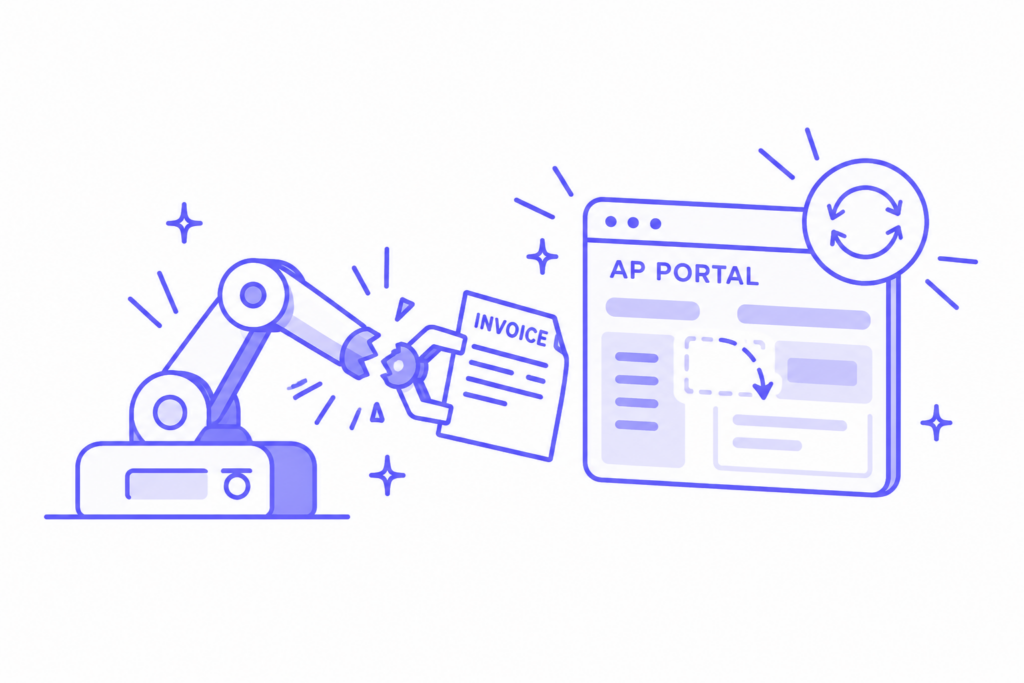
Most RPA finance projects targeting customer AP portals start with a thorough recording. Someone on the billing team walks through one customer’s portal, field by field, and a developer turns that path into a bot. It works the day it goes live. Then the customer adds a required field, the portal ships a new release, or the login asks for a different second factor. The bot stops exactly where the recording stops.
A recorded workflow is a copy of one customer’s portal on one day, and the portal belongs to your customer. If you own finance systems or automation projects, ask one thing: how does your setup behave the day after something changes?
What RPA in finance is, and why portals are different
Definition
RPA in finance
Robotic process automation (RPA) in finance is software that repeats a recorded sequence of clicks and keystrokes in finance applications, such as keying invoices, downloading reports, or uploading files to a customer AP portal. It follows the steps exactly as recorded, so when a screen, field, or login changes, it stops or fails.
Robotic process automation in finance and accounting has earned its place in internal work. Moving entries between two systems your team owns, pulling the same bank file every morning, copying a report into a template at month-end. Those screens change when your own IT team changes them, with notice, on a date you know.
Customer AP portals sit on the other side of that line. Your customer chose the portal, configured it, and can change its rules whenever its AP team decides to. The software vendor behind the portal ships its own updates on top of it.
Coupa’s own release notes for the portal suppliers use list 29 releases between January 15 and October 12, 2026. Among them: mandatory e-invoicing data for Slovakia and the United Arab Emirates, with the portal “preventing submission if fields are missing”, and the end of SMS as a multifactor sign-in option.
Those are sensible changes for the customer. For a bot recorded in January, each one is a screen it has never seen.
What changes in a customer AP portal, and what each kind of automation does
| What changed | Who changed it | What a recorded workflow does | What a workflow that adapts does |
|---|---|---|---|
| A new required field, such as e-invoicing data or a cost center | The portal vendor or your customer’s AP team | Fails at submit, or keeps retrying the same screen | Fills the field from the invoice or PO data, or asks a person for the one value it can’t find |
| A page or button moved in a release | The portal vendor | Can’t find the element and stops | Finds the step by what it does on the page |
| A password rotation or a new sign-in method | Your customer’s IT team or the portal vendor | Gets locked out and tells no one | Flags the login problem the same day, before invoices pile up |
| A new customer-specific rule, like a PO format or a required attachment | Your customer’s AP team | Submits as recorded and gets rejected days later | Reads the rejection, keeps the rule and applies it to the next invoice for that customer |
| An accepted invoice is rejected later | An approver on the customer’s side | Reports “submitted” and moves on | Keeps checking the status until the invoice is paid |
The last row is the one teams find out about last. A recorded workflow measures its own success at the moment of upload. The customer’s approval happens after it has finished.
“It breaks that process that was set up”
That line comes from someone who runs portal submissions at a medical diagnostics manufacturer. Their team has run the same bot for about three years: “That’s what happens now when the portal makes a change, and they do.” In conversations with finance teams over the past month, the same story came up from very different industries.
A finance lead at a global testing and inspection company has automated one portal with custom RPA, out of 30 or more in the US alone. The limit, in their words, is that “technical overhead is with us,” and that any change to those portals requires “an element of rework on our side.” A finance leader at a material-handling equipment dealer counts more than a hundred customers on portals, with “30 that are working properly” through their current tool, all on Ariba and Coupa. Part of the reason is that their own billing data needs to be fixed first.
At a second equipment dealer, the team learned their tool was “just telling us on an initial submission”, with no view of what the portal denied afterward. Someone on the finance team at an industrial automation distributor described the part nobody reports: “And then magically it’s unaccepted. Nobody tells you.”
None of these teams built badly. They recorded what the portal looked like, and the portal moved.
BLEND, a global localization platform billing some of the largest enterprises, describes the same wall from the billing side. Working across so many customers’ AP portals doubled the finance team’s workload. The team looked for a system that would adapt to the different AP portals, so nobody had to rebuild the process for each customer.
The costs that don’t show up in the RPA business case
The business case for a portal bot counts the hours of keying it removes. It rarely counts what the bot adds.
Rework on every change. Each release, new field, or rule change goes back into a developer’s queue. While it waits, someone rekeys the invoices for that customer by hand, or they don’t go in at all. The AR workflow automation paradox is exactly this: a tool bought to remove work that creates a new kind of it.
Silent failures. A bot that stops at a moved button is easy to spot. A bot that uploads an invoice the customer later rejects is not. If its log says “submitted”, your aging report says “sent”, and nobody looks until the payment is late.
Coverage that stalls at the big portals. Recording is expensive, so teams record the two or three portals with the most volume. Everything else stays manual, which is why the testing company above has one portal automated, and the equipment dealer has two. Growth makes it worse. Every new enterprise customer adds a portal, and managing many portals without adding headcount gets harder with each one the bot can’t reach.
Logins tied to one person. When a bot signs in with a team member’s credentials, every password change is an outage. The medical diagnostics team describes it plainly: when the colleague whose login they use changes his password, “he has to remember to change it on the dashboard, or it’ll fail.”
Controllers feel this in the headcount math. The Hackett Group’s 2026 Finance Key Issues Study projects that finance workloads will increase by 3.2% this year, while headcount will fall by 2.1%. The same study puts accounts payable at the front of AI adoption, with 33% of organizations already scaling AI there. Your customers’ AP teams are changing their side of the process faster than anyone else. A bot that needs a person every time it does doesn’t close that gap.
Building it yourself: what it really takes
You can absolutely build portal automation in-house. Just price it like a product your team will run for years, not a one-off project.
A build that holds up today has AI at its core, in two layers:
- A context layer: what each customer requires. The fields, attachments, PO formats and approval steps, kept per customer and updated after every acceptance and rejection.
- An execution layer: the part that does the work. It submits each invoice, handles logins and second factors, copes when a screen changes, and tracks every invoice until it’s paid.
Then count what it costs to run:
- Time to the first portal. Design, build and test for one customer’s setup before a single invoice goes in.
- Maintenance on every change. Coupa alone shipped 29 releases to its supplier portal between January and October 2026, roughly three a month. Each customer’s AP team adds its own changes on top.
- Failure rate. Someone has to catch the invoices that went in and came back rejected days later, not only the bots that stopped.
- Coverage ceiling. The teams above stopped at one portal out of 30+, and 30 customers out of more than 100. Every new enterprise customer adds another portal to build.
- Logins. Every password rotation and new sign-in rule lands on whoever owns the credentials.
If those numbers work for your team, build it. If they don’t, that’s your case for buying.
Recorded versus adaptive: five questions before the next portal project
Whether the proposal on your desk is a bot, an API integration to a customer AP portal, or an AI tool, these five questions show how it will behave after go-live.
- When a customer adds a required field, who finds out first? With a recorded setup, your customer does: you learn the field exists when an invoice comes back rejected.
- Does it follow an invoice past submission? Acceptance, approval, scheduled payment, and payment are four more chances for something to change.
- Is what it knows stored per portal or per customer? Ten customers on Ariba are ten different sets of rules, and a single Ariba bot treats them as one.
- What happens on a portal it has never seen? Ask for the time to connect a new customer (in days) and who does the work.
- Who maintains it, and what does a change cost you? Count the developer hours and the invoices that wait in the meantime.
The answers sort tools into two groups faster than any feature list. It’s the same gap our guide on what AI in AR automates and what it misses traces across the rest of the AR job.
Where RPA finance automation still fits
RPA finance work is a good fit wherever you own both ends of the screen. For robotic process automation finance teams, the safe ground is stable internal steps, such as posting a bank file to the ledger or moving a report between two systems on a fixed schedule. Those bots keep paying back because nothing outside your company can move those screens. The same goes for RPA accounts receivable tasks on your side of the process: pulling remittance files from your bank and updating your collections notes.
The trouble starts at the handoff to the customer. It’s the missing link in AR automation: your company produces invoices automatically, but they stall at the portal because it follows your customer’s rules. A recorded bot, the classic robotic process automation accounting teams build, can only follow the rules it saw on recording day.
Key Takeaway
RPA works where your team controls the screens. Your customers and their software vendors control customer AP portals, so any recorded workflow there breaks according to their schedule, not yours. Judge portal automation by what happens the day after something changes.
How Monto keeps up when a customer changes its portal
Monto is your team’s AI co-worker for customer AP portals, and it starts from the customer. Each of your customer relationships gets its own AI agent. That AI agent learns the customer’s own setup, whether it sits on Ariba, Coupa, Tipalti, Tungsten, or one of the 600+ customer AP portals Monto connects to: the fields it requires, the attachments it expects, the way it wants a PO reference written. It builds that picture from the customer’s past submissions and what the portal accepted or rejected, then carries each invoice from your ERP to payment.
When a customer or its portal changes something, Monto’s Smart Connections adapt to the change instead of stopping at the old screen. A rejection with a new reason becomes a rule for that customer’s next invoice. What it can’t settle on its own, like a PO with no funds left, goes to the person who owns the account, with the portal’s reason attached.
At BLEND, that learning shows up in the numbers: 70% fewer rejections on customer AP portals and collections twice as fast, with the time saved going back to the AR team.
Customer Story
“The AR team has more time to do important collections tasks because Monto took the manual work from them”
— Hanna, Controller, BLEND
Your customers will change their portals again next month
Nobody can freeze a customer’s portal, and nobody should want to: the changes are what keep your customers’ AP process compliant and secure. The choice on your side is between automation that remembers how the portal looked once and automation that keeps learning how it looks now. Pick the second, and a portal release becomes something you read about in the release notes instead of in your aging report.
See how invoices keep moving through your customer AP portals as your customers update them.
Talk to our team about your portals →FAQ
What is RPA in finance?
RPA in finance is robotic process automation applied to finance work: software that repeats a recorded sequence of clicks and keystrokes, such as keying invoices, downloading bank files, or uploading documents to a portal. It works well on stable screens your own team controls and stops when a screen it depends on changes.
Why do RPA bots break when a customer AP portal changes?
A bot follows a recorded path through specific fields, buttons, and pages. When the customer adds a required field, the portal vendor ships a release, or the sign-in method changes, the recorded path no longer matches the screen. The bot then fails, stops, or submits an invoice that the customer later rejects.
Can RPA handle accounts receivable?
RPA handles accounts receivable tasks inside your own systems well, such as pulling remittance files or posting from a report you control. It struggles to submit invoices to customers’ AP portals because each customer configures its portal differently and updates it on its own schedule.
What is the difference between RPA and AI agents for customer AP portals?
RPA repeats steps recorded on one day and needs a developer to re-record them after every change. AI agents work from what each customer requires, such as fields, attachments, and PO rules, so they can complete a submission on a changed screen and learn a new rule from a rejection.
How often do customer AP portals change?
Constantly. Coupa’s release notes for the portal suppliers list 29 releases between January 15 and October 12, 2026. In addition to vendor releases, each customer’s AP team can add fields, change PO rules, or require new attachments in its own setup at any time.
What should you ask before automating invoice submission to customer AP portals?
Ask who finds out first when a customer adds a required field; whether the tool tracks invoices from submission to payment; whether it stores rules per customer or per portal; how long it takes to connect a new portal; and who maintains it when something changes.